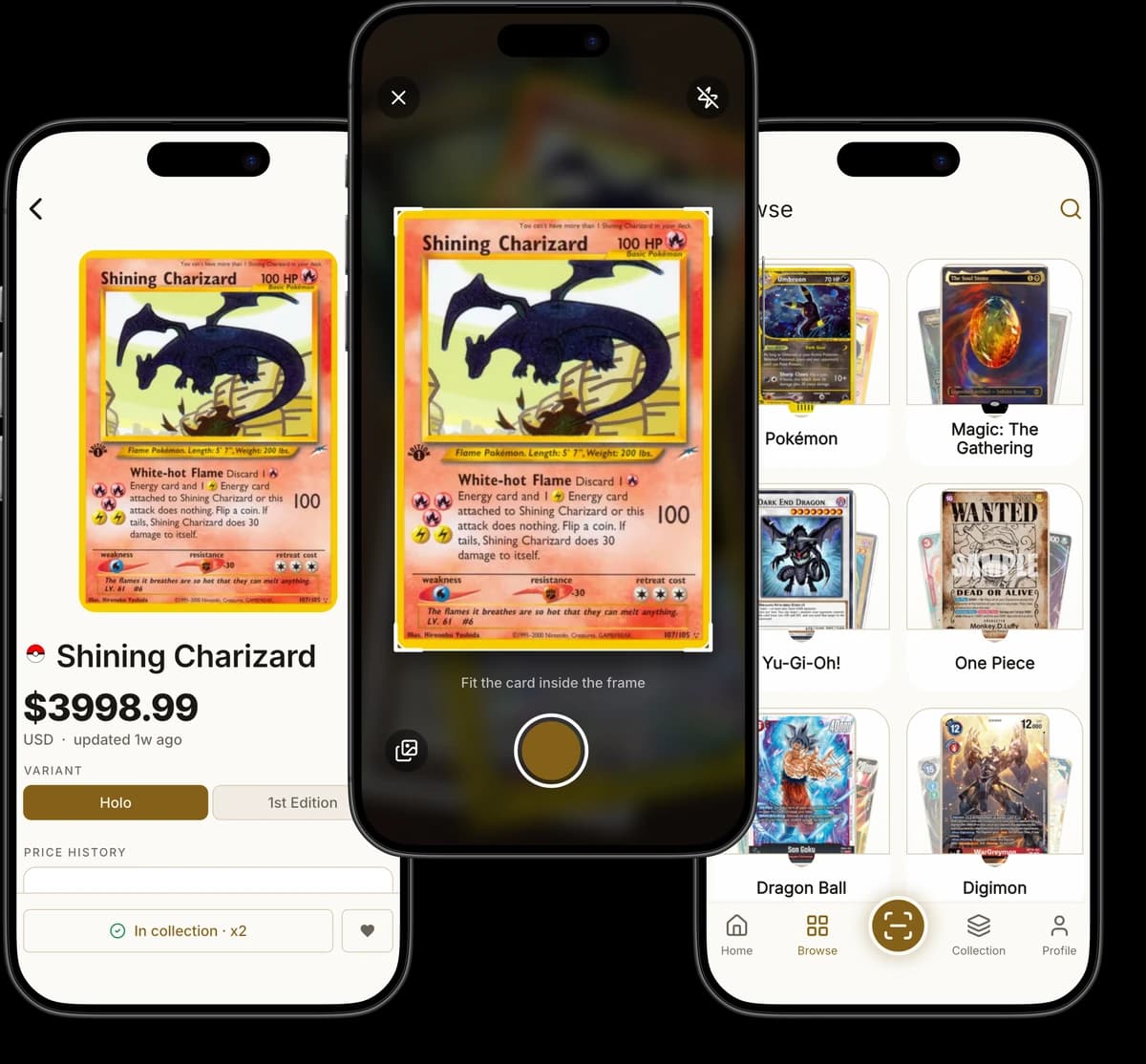
Why Collectors Use Kuji
One Camera Shot, The Whole Card File
Kuji matches your photo against a catalog of 197,003 cards and 264,319 printings, so a scan returns the exact set, number, rarity and finish — not just a card name.
Identify a Card in Seconds
Kuji recognizes a card from one photo using visual matching plus on-device text reading, so a scan resolves in a few seconds even for cards in a language you don't read.
Nine Games in One App
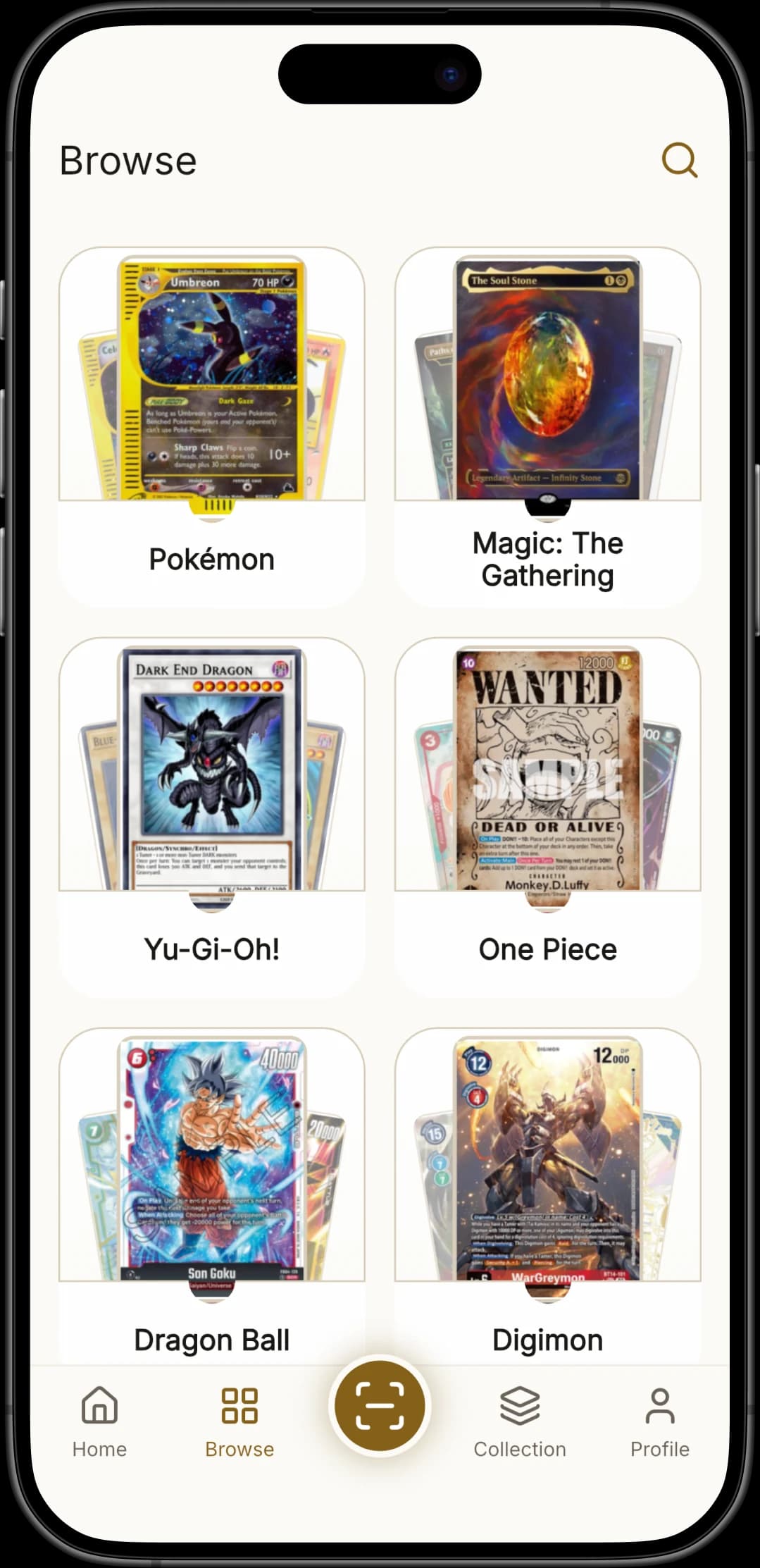
Kuji covers Pokémon, Magic: The Gathering, Yu-Gi-Oh!, One Piece, Disney Lorcana, Dragon Ball Fusion World, Digimon, Star Wars: Unlimited and Flesh and Blood — no switching apps per game.
Prices for Every Printing
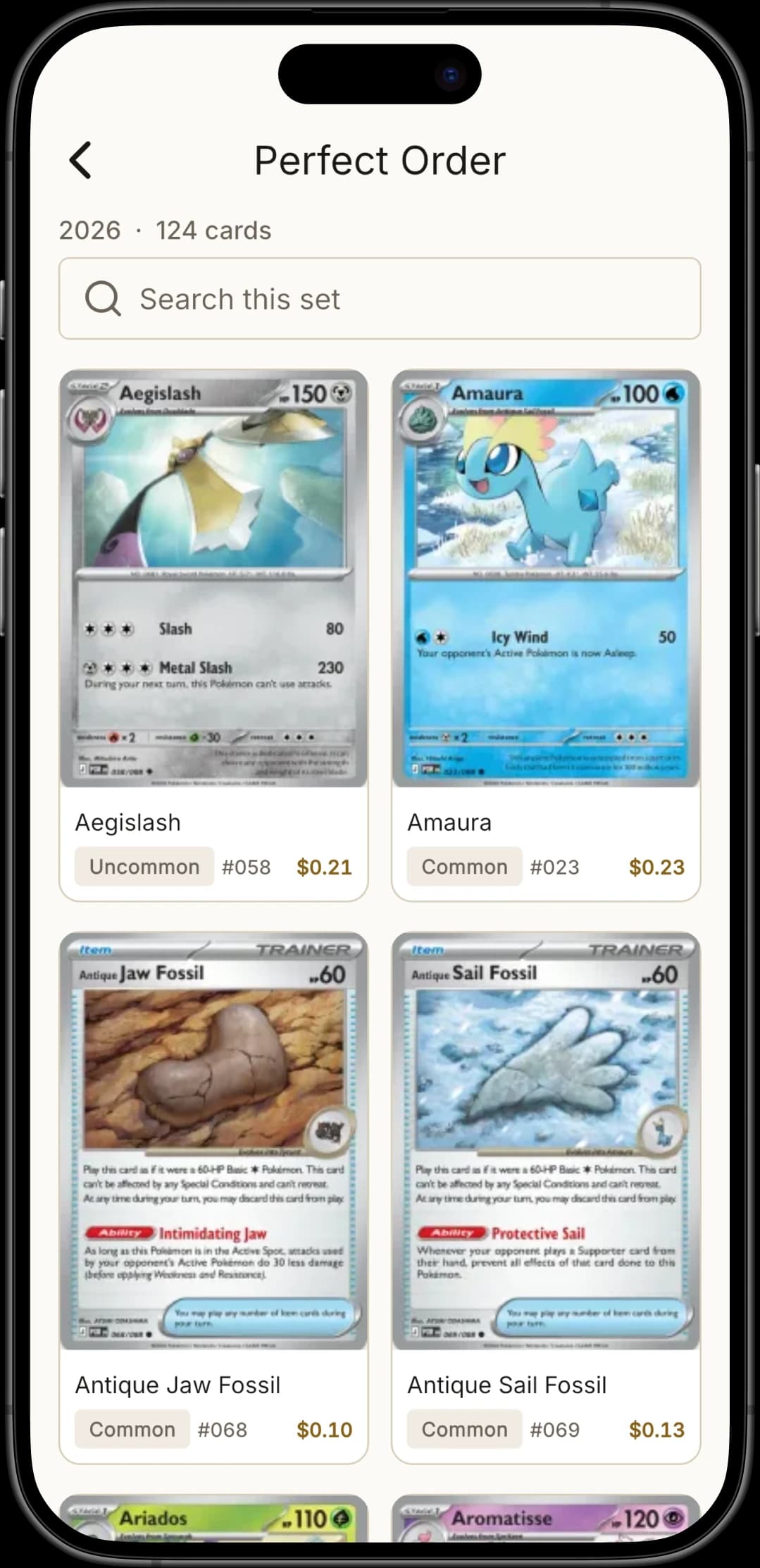
Kuji separates the 264,319 printings behind those cards, so a normal, reverse-holo, foil and 1st-edition copy each carry their own market price instead of one blended average.
See Where a Price Is Heading
Kuji charts each card's price history, so you can see whether a card has been climbing or sliding before you trade it — and Home surfaces what is trending across the catalog right now.
A Collection That Adds Up
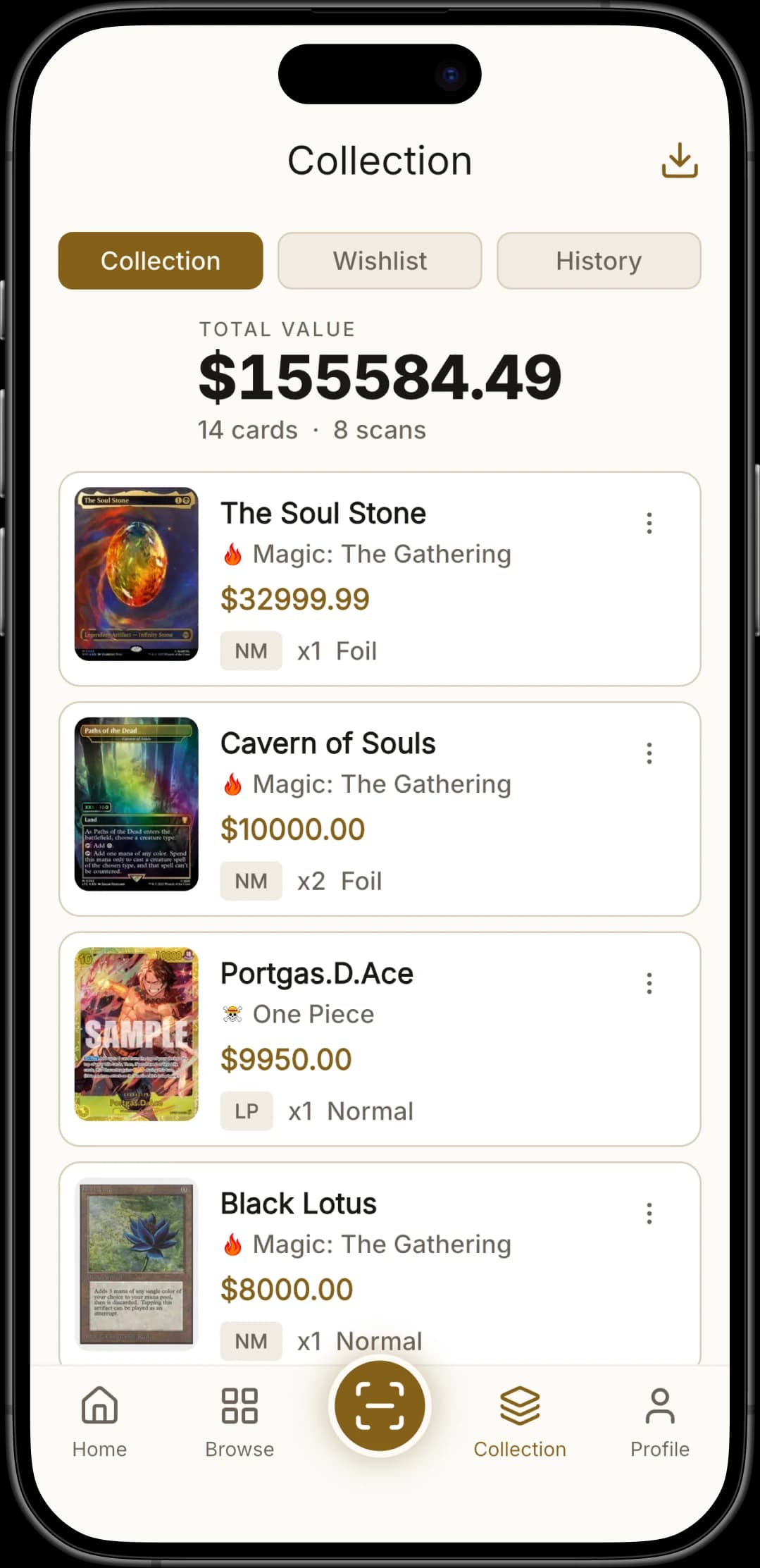
Every scanned card lands in your collection with a quantity and a running total value, and your wishlist tracks the cards you're still hunting.
No Account, No Sign-Up
Kuji works the moment you open it. There is no email, no password and no profile to create — your collection lives on your device, not in an account.
Your Collection Stays on Your Phone
Kuji stores your collection, wishlist and scan history locally on the device. Only the cropped card photo is sent for recognition, and one tap clears everything.
Browse the Whole Catalog
Kuji lets you search all 197,003 cards by name or walk a set card-by-card, so you can look up a price and add a card even when it isn't in front of you.
How It Works
Card in Hand to Price on Screen in 3 Steps
No account, no manual entry, no set codes to memorize. Point, scan, done — the first card takes about ten seconds.
Frame the Card
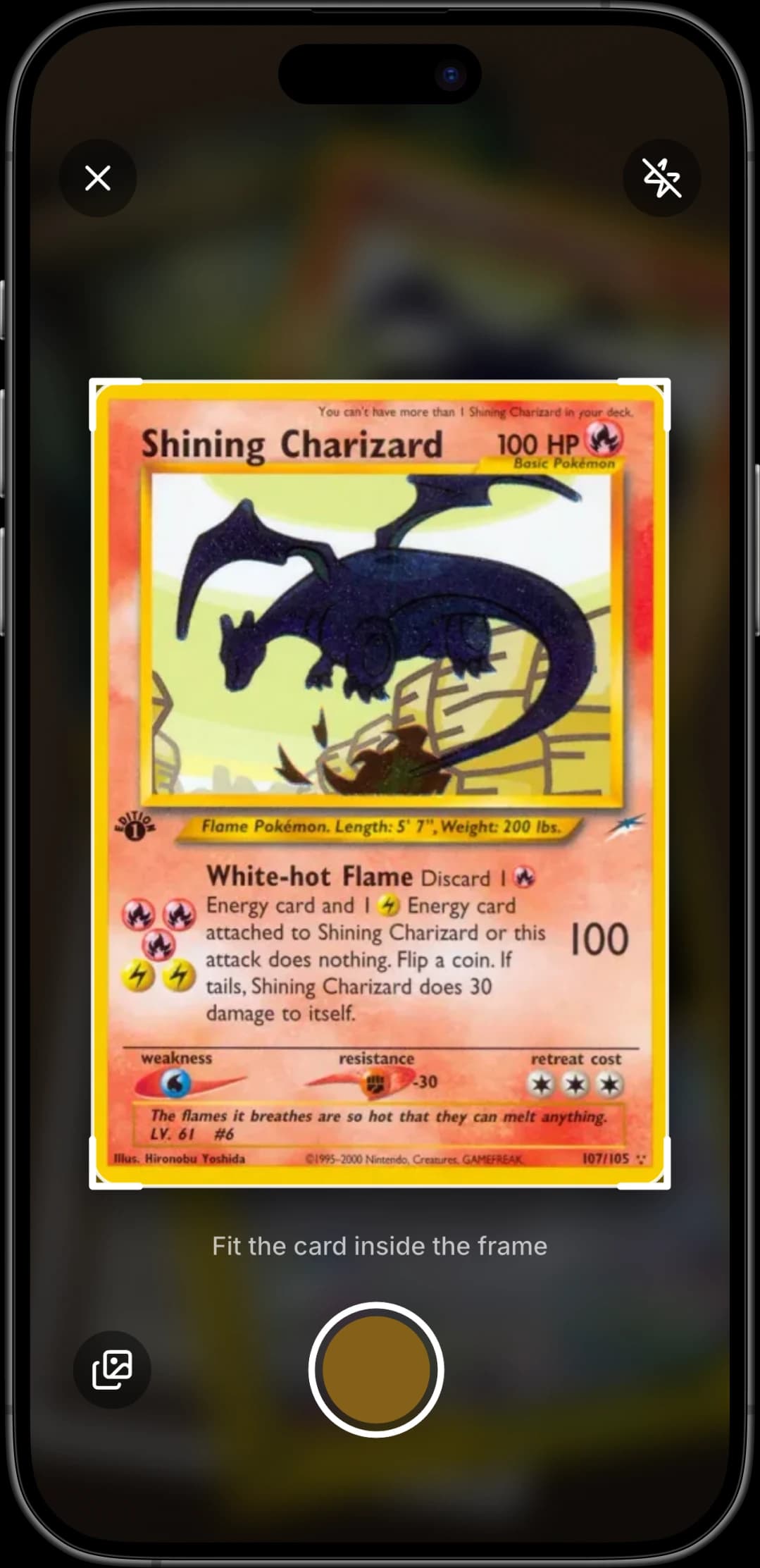
Open Kuji, line the card up inside the on-screen frame in even light, and hold steady. You can also scan from a photo already in your gallery.
Kuji Identifies It
Kuji matches the photo against 264,319 known printings and returns the card with a match score. If the top result is wrong, pick the right one from the alternatives — Kuji learns from the correction.
See the Value, Keep the Card
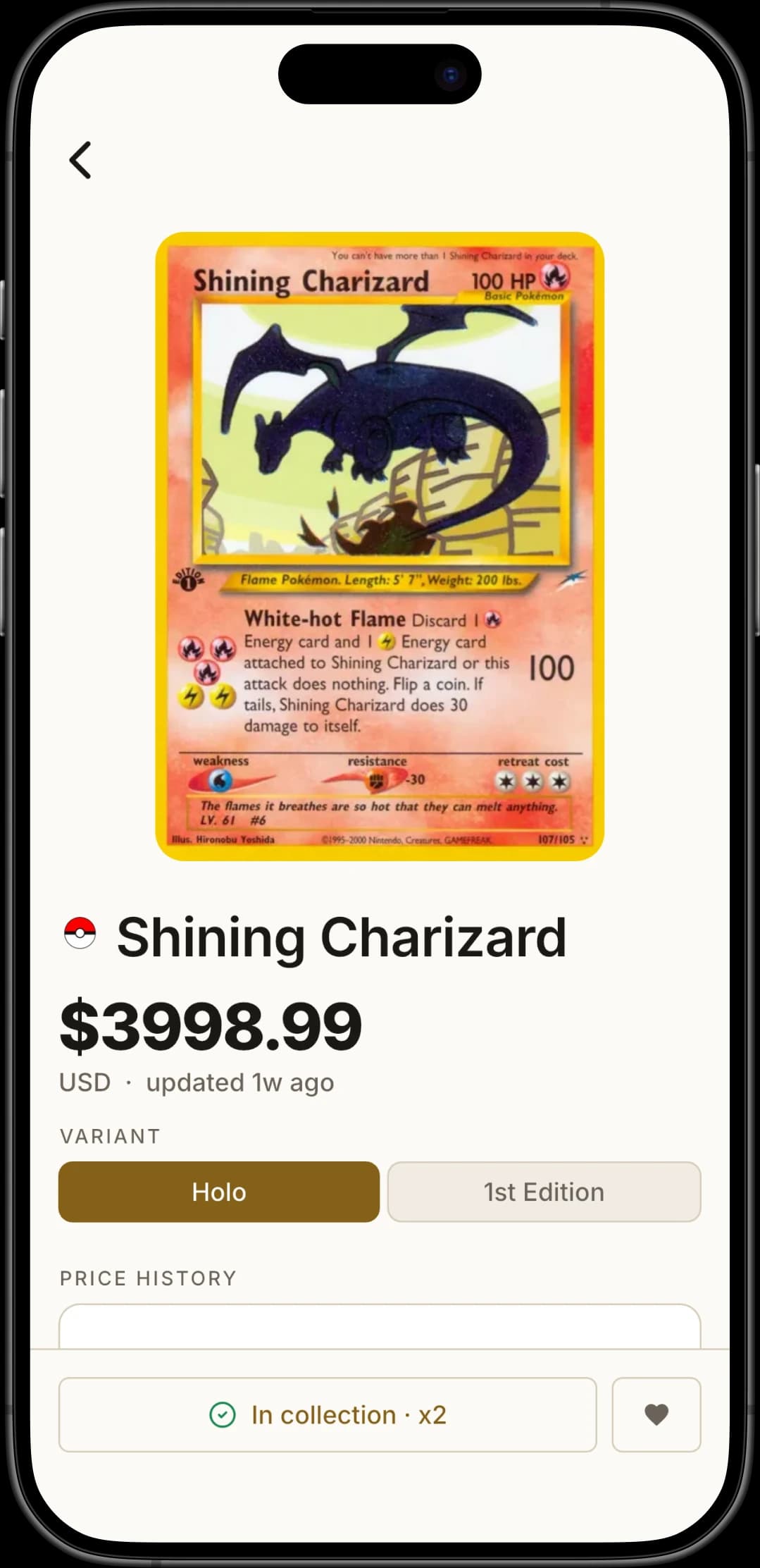
The card opens with its current market price, set and rarity. Tap once to add it to your collection with a quantity, or heart it to track it on your wishlist.
Screenshots
See It in Action
Take a closer look at scanning, pricing and collection tracking in Kuji.
FAQ
Got Questions? We Have Answers
Everything you need to know before your first scan.